.png?width=220&height=110&name=Copy%20of%20Digital%20Chew%20(Blog%20Banner).png)
Step 1: Contact Project Casting
Before registering, reach out to our support team.
- Click on the “Contact us” link on the registration page or visit the Contact page.
- Send us an email with the subject line “Talent Agency.”
- Include basic details about your agency in your message.
Our team will review your request and guide you through the next steps.
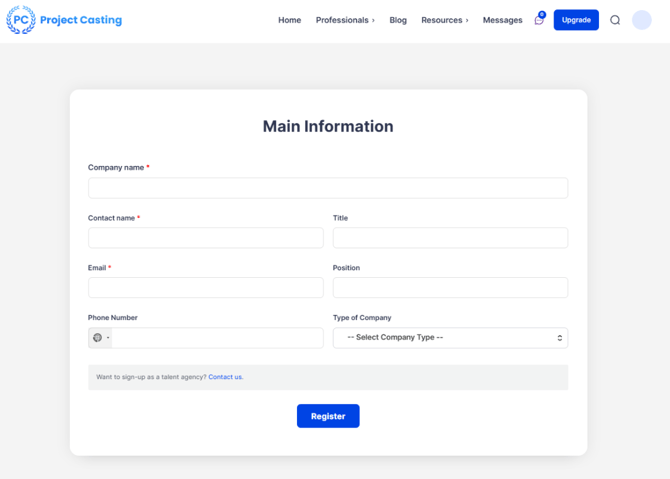
Step 2: Register as a Company Account
While waiting for a response, you can go ahead and create your account:
- Visit the Project Casting website.
- Click on “Sign Up.”
- Select Company Account.
Step 3: Fill in Your Company Information
Complete the registration form with the following details:
• Company name
• Contact name
• Title
• Email address
• Position
• Phone number
• Type of company
Make sure all information is accurate and up to date.
Step 4: Submit Your Registration
- Click the “Register” button.
- Complete any verification steps (such as email confirmation).
What Happens Next?
• Our team will review your email request.
• We may contact you for additional details.
• Once approved, your account will be set up for talent agency use.
Summary
To register as a talent agency, contact our team first, then create a Company Account so your profile is ready for approval.